

With Android 12, users personalize the look and feel of the entire OS and system apps with dynamic theming. This feature allows for switching wallpapers – and further adjusting the color palette extracted from the wallpaper – to match user preference.
Pen menu
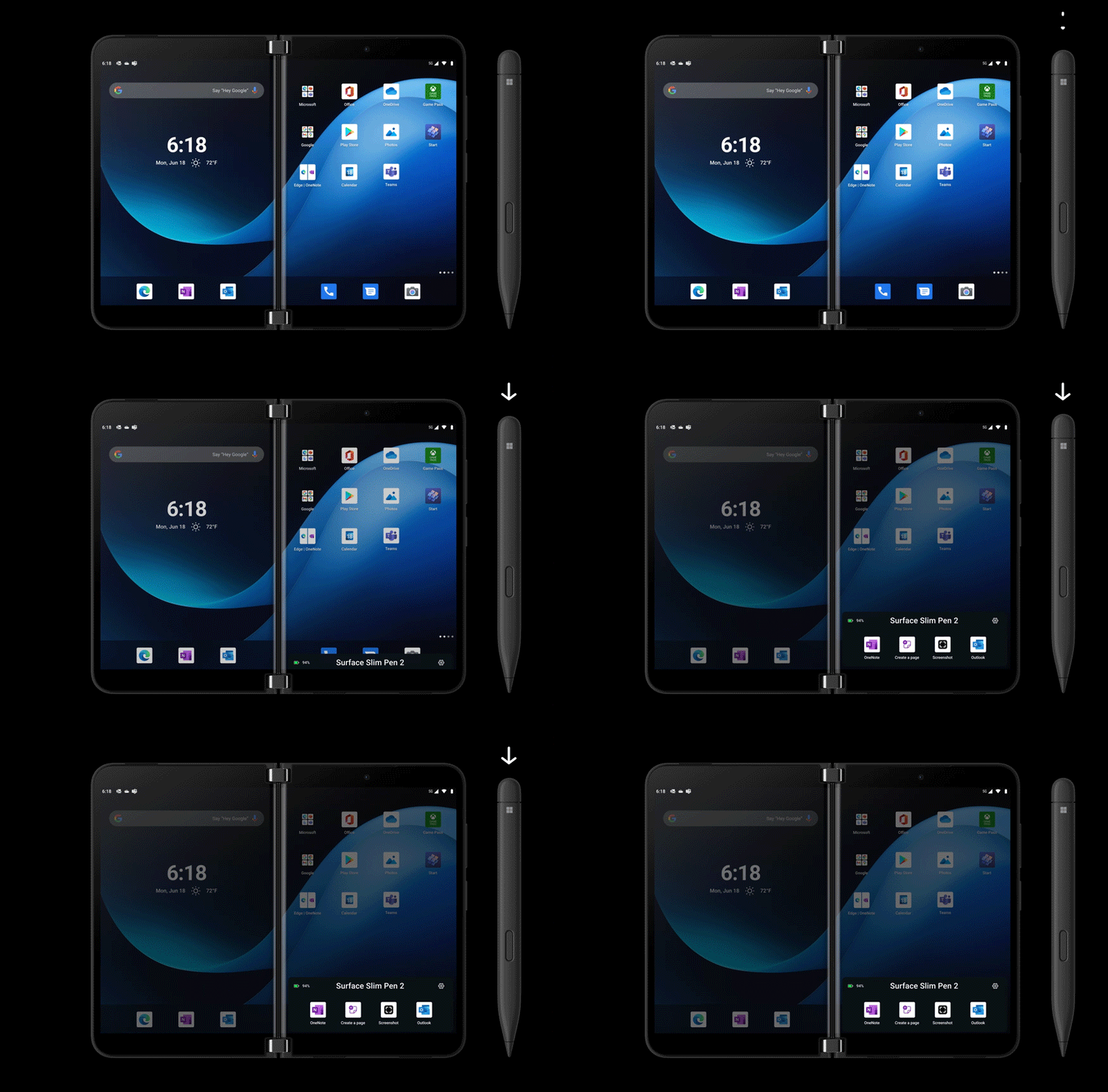
Pick up your Surface Slim Pen 2 and jump into your favorite inking app from a short, customizable menu familiar to Windows. Surface Slim Pen 2 works on Surface PCs and Surface Duo 2 – and it’s automatically paired the first time you touch the screen.
A better experience enabled by Android 12L
Android 12 provides a more personalized, responsive and inclusive experience with a refreshed UI that dynamically adapts to a customer’s wallpaper, feels more responsive to touch with fluid animations, and comes with additional tools for accessibility.
Updated widgets
In addition to redesigned widgets that are more performant and coherent in their style, Android 12 introduces new conversations widgets for staying in touch with people you care about. For example, the new Photos widget from OneDrive is a beautiful addition customers can include on the feed. Additionally, back in June we updated the Glance Bar to support conversation notifications.
Accessibility
Android 12 improves accessibility with a more spacious design for UI elements, contrast optimizations and new visibility features from magnification to brightness and color management.
Privacy
Android 12 introduces a new Privacy dashboard that keeps track of camera, microphone and location usage by apps for the past 24 hours. Camera and microphone use is now actively indicated in the status bar at all times, both of which can be directly disabled or enabled from new toggles in Quick Settings. Android 12 also puts the customer in control over location accuracy per app, letting them choose between precise and approximate accuracy based on preferences.
Switch from any phone
Transferring data, even from an iPhone, is made easier with the Android 12 update. Plug in a cable or connect to Wi-Fi to transfer all your essentials from your previous device during the initial setup process.
We can’t wait for you to try these new enhancements to Surface Duo and Surface Duo 2, and you can see these and more in the Tips app on your device. Our vision has always been to enable you to accomplish more from your mobile device. These updates, along with the increased alignment to the Windows 11 experience, will make the transitions from working on your PC to your Surface Duo easier, making you more productive wherever you are.


